
This section provides guidance for developers who want to integrate their own systems with LeadClose using our API.
Note: The API is a feature planned for a future release and is not yet publicly available. This documentation will be updated once the API is launched.
Obtaining Your API Key
Once the API is available, you will be able to generate and manage your API keys from the Account > API & Webhooks page.
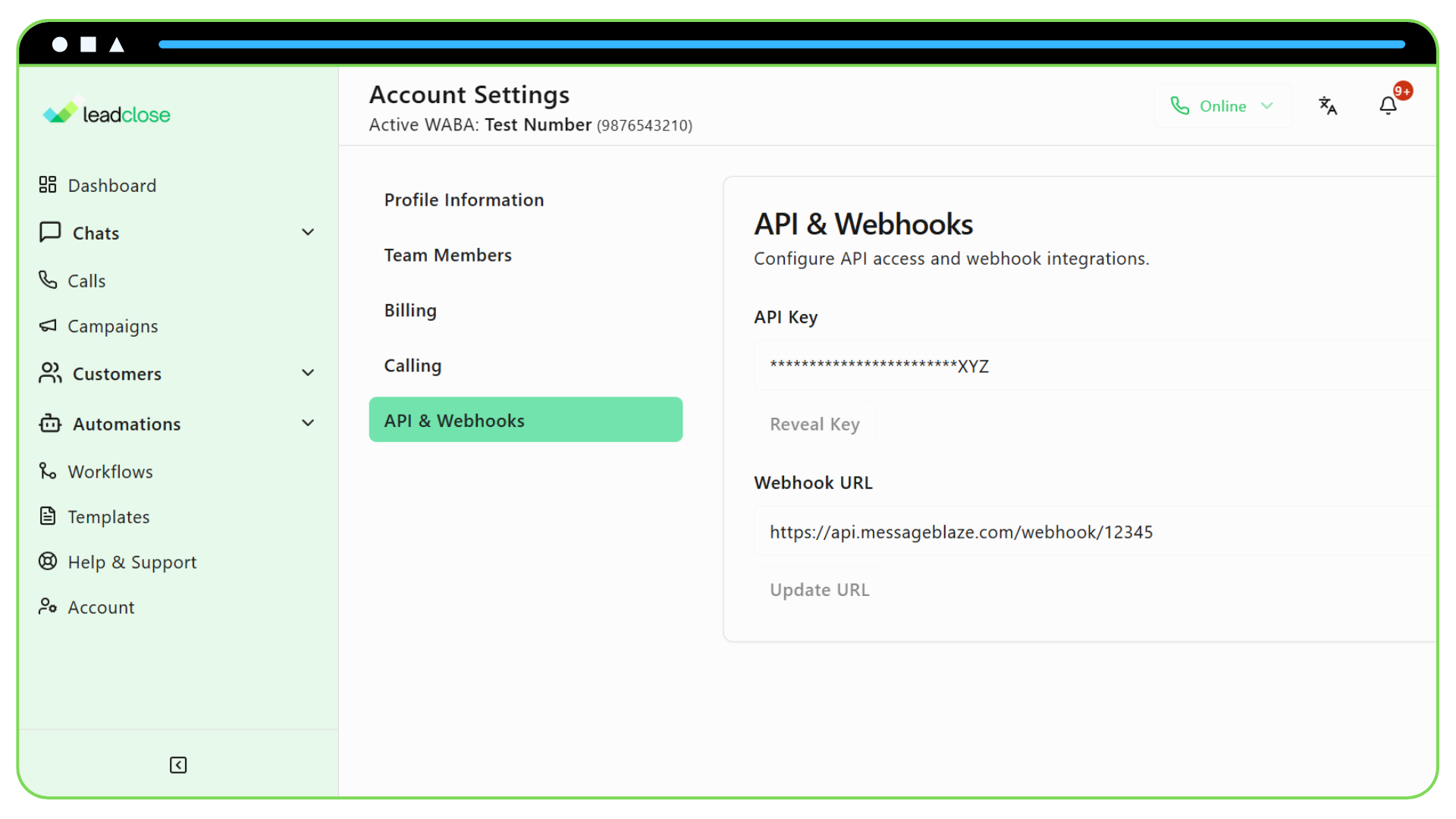
Your API key is a secret token. Do not share it publicly or commit it to version control systems like Git.
Authentication
All API requests must be authenticated using a Bearer token in the Authorization header.
Authorization: Bearer YOUR_API_KEY
Rate Limiting
To ensure stability for all users, API requests will be rate-limited. The specific limits will be detailed here upon release. You will receive a 429 Too Many Requests HTTP status code if you exceed the limit.
Available Endpoints (Future)
The following is a potential list of endpoints that will be available:
POST /v1/customers: Create a new customer.PUT /v1/customers/{id}: Update an existing customer.POST /v1/messages/send: Send a free-form text message to a customer (within the 24-hour window).POST /v1/messages/send_template: Send an approved message template to a customer.GET /v1/campaigns/{id}/status: Check the status and performance of a campaign.
Full endpoint specifications, including request bodies and response examples, will be published here in the future.