
An AI Agent's knowledge base is the set of documents it uses to answer questions. The agent is "grounded" in this information, meaning it is instructed to formulate its answers based only on the content you provide. This ensures accuracy and brand consistency.
How the Knowledge Base Works (RAG)
The system uses a technology called Retrieval-Augmented Generation (RAG).
- Indexing: When you upload a document, it's broken into smaller chunks. Each chunk is converted into a numerical representation (an embedding) and stored.
- Retrieval: When a user asks a question, the system finds the most relevant chunks of text from your documents.
- Generation: These relevant chunks are passed to the AI model along with the user's question, and the AI is instructed to generate an answer based only on that provided information.
How to Add Documents
- Navigate to your AI Agent's settings: Go to
Automations > AI Agentsand click "Edit" on the agent you want to train. - Go to the Knowledge Base Tab: Select the "Knowledge Base" tab.
- Upload Files: Drag and drop your
.txtor.mdfiles into the upload area.
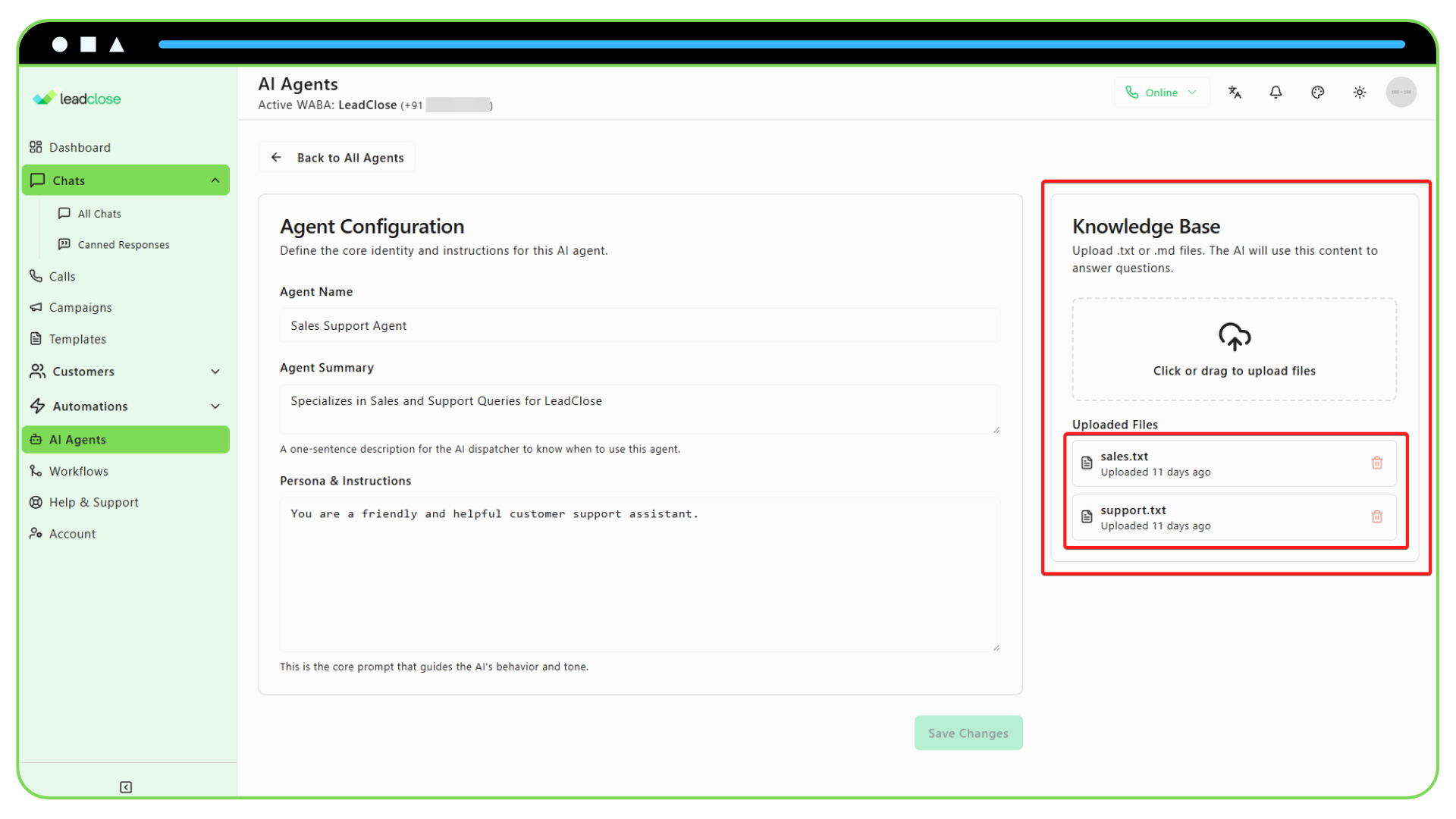
The system will automatically process and index your files. You will see them appear in the list of "Included Documents."
Best Practices for Knowledge Documents
- One Topic Per Document: It's better to have several smaller, focused documents than one very large document. For example, create separate files for
shipping-policy.txt,return-policy.txt, andfaq.txt. - Use Clear Headings: In your documents, use clear, descriptive headings (using Markdown like
##is helpful). The AI uses this structure to better understand the context. - Be Explicit: Write out answers clearly and simply. The AI is very good, but it's not a mind reader.
- Review and Update: If your policies change, be sure to update the relevant document in the knowledge base and re-upload it.
For a more detailed guide, see the "Best Practices for an AI Agent's Knowledge Base" article in the Guides & Tutorials section.