
To send and receive messages, you must first connect your WhatsApp Business Account (WABA) to LeadClose. This is done securely through the official Meta (Facebook) integration.
Before You Start:
- Ensure you are an Admin of the Facebook Business Manager account that owns your WABA.
- Ensure you are logged into the correct Facebook account in your browser.
Step-by-Step Guide:
Navigate to Account Settings: Go to
Accountin the sidebar. The main account page will load, showing your Profile Information and Business Details sections.Initiate Connection: In the "Business Details & Integrations" card, click the "Connect to WhatsApp via Facebook" button.
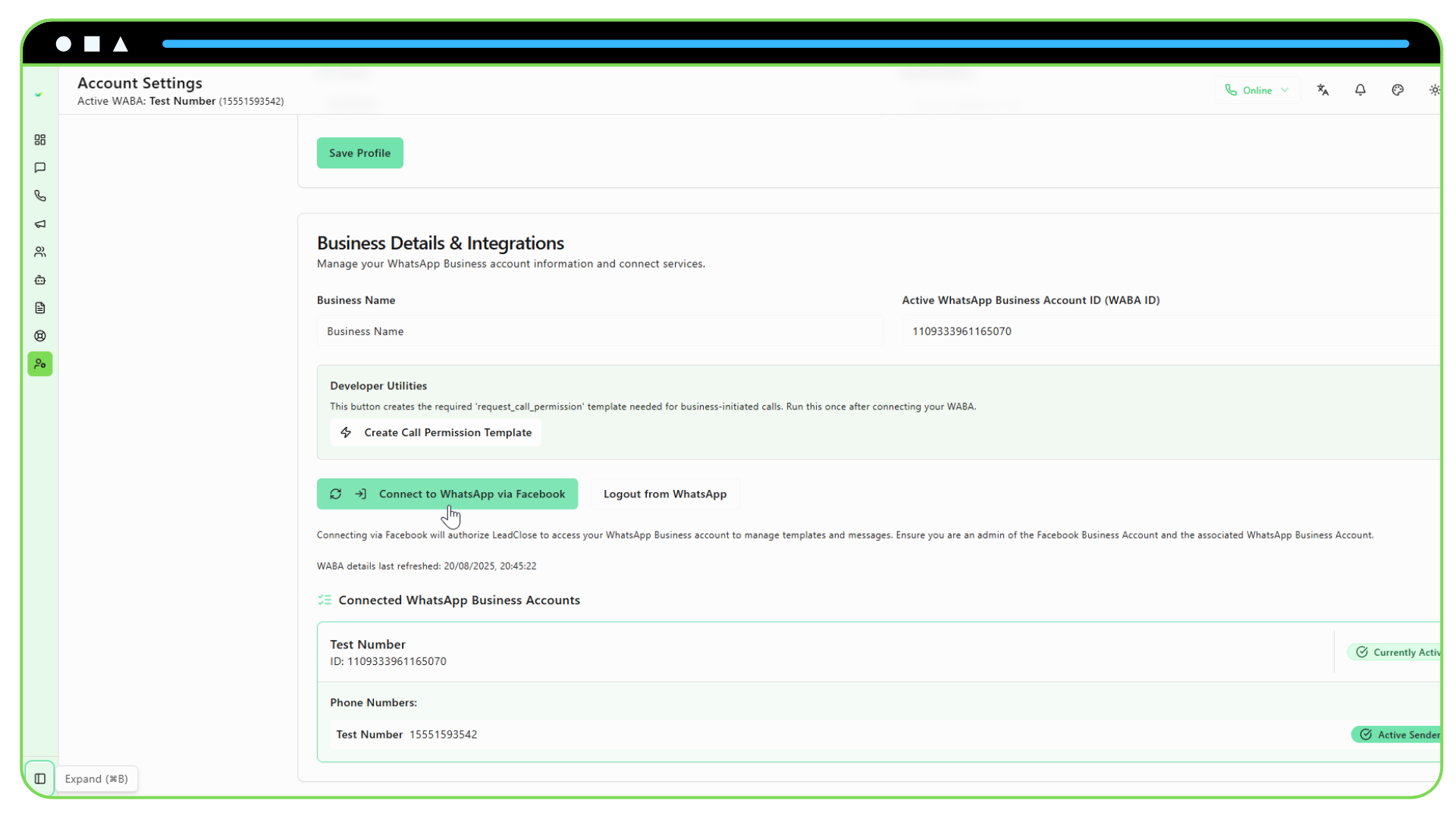
Follow the Meta Popup Flow: A new popup window from Facebook will open. Follow the on-screen instructions carefully. You will be asked to:
- Confirm your Facebook account.
- Select the Meta Business Account you want to use.
- Select the WhatsApp Business Account(s) you want to connect to LeadClose.
- Approve the permissions requested by LeadClose. These are necessary for sending messages, managing templates, and receiving updates on your behalf.
Important: Do not close the popup window until the process is complete.
Automatic Details Fetch: Once you complete the popup flow, it will close, and LeadClose will automatically communicate with Meta to fetch your WABA details, including your business phone numbers. This may take a few moments.
Set an Active Phone Number: After the details are fetched, you will see a list of your connected WABA(s) and their associated phone numbers. You must select one phone number to be the active sender. Click the "Set as Active" or "Set as Sender" button next to the phone number you wish to use for outgoing messages and campaigns.
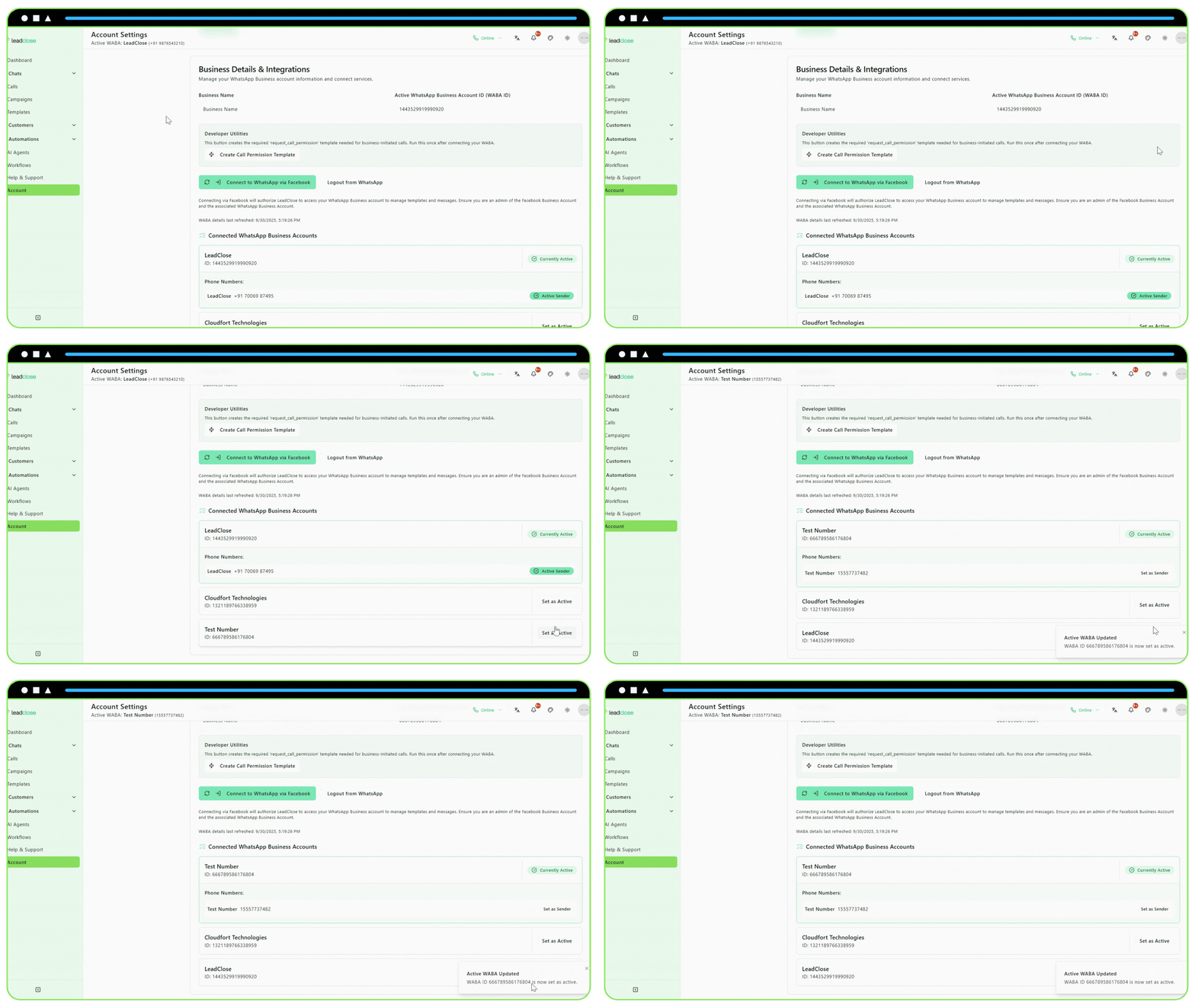
Connection Complete! Your dashboard and chat features are now enabled. You can see your Active WABA ID and Phone Number displayed in the header and on the account page.
Troubleshooting:
- No WABAs Shown: If the popup doesn't show any WhatsApp Business Accounts, it likely means the Facebook user you are logged in with is not an admin of the Meta Business Manager that owns the WABA.
- Popup is Blocked: Ensure your browser is not blocking popups from LeadClose.
- Connection Fails: If the process fails, try logging out of Facebook completely in your browser and then attempting the connection again.