
You can manage both your personal user profile and your team's business details from the Account Settings page.
Updating Your Personal Profile
Your personal profile includes your name and profile picture, which are visible to your teammates.
- Navigate to Account Settings: Click
Accountin the sidebar. - Find the Profile Information Card: This is the first card on the page.
- Change Your Name: Edit the text in the "Full Name" field.
- Change Your Profile Picture: Click "Change Picture" to upload a new image. (Note: This feature may be added in a future update).
- Save Changes: Click the "Save Profile" button.
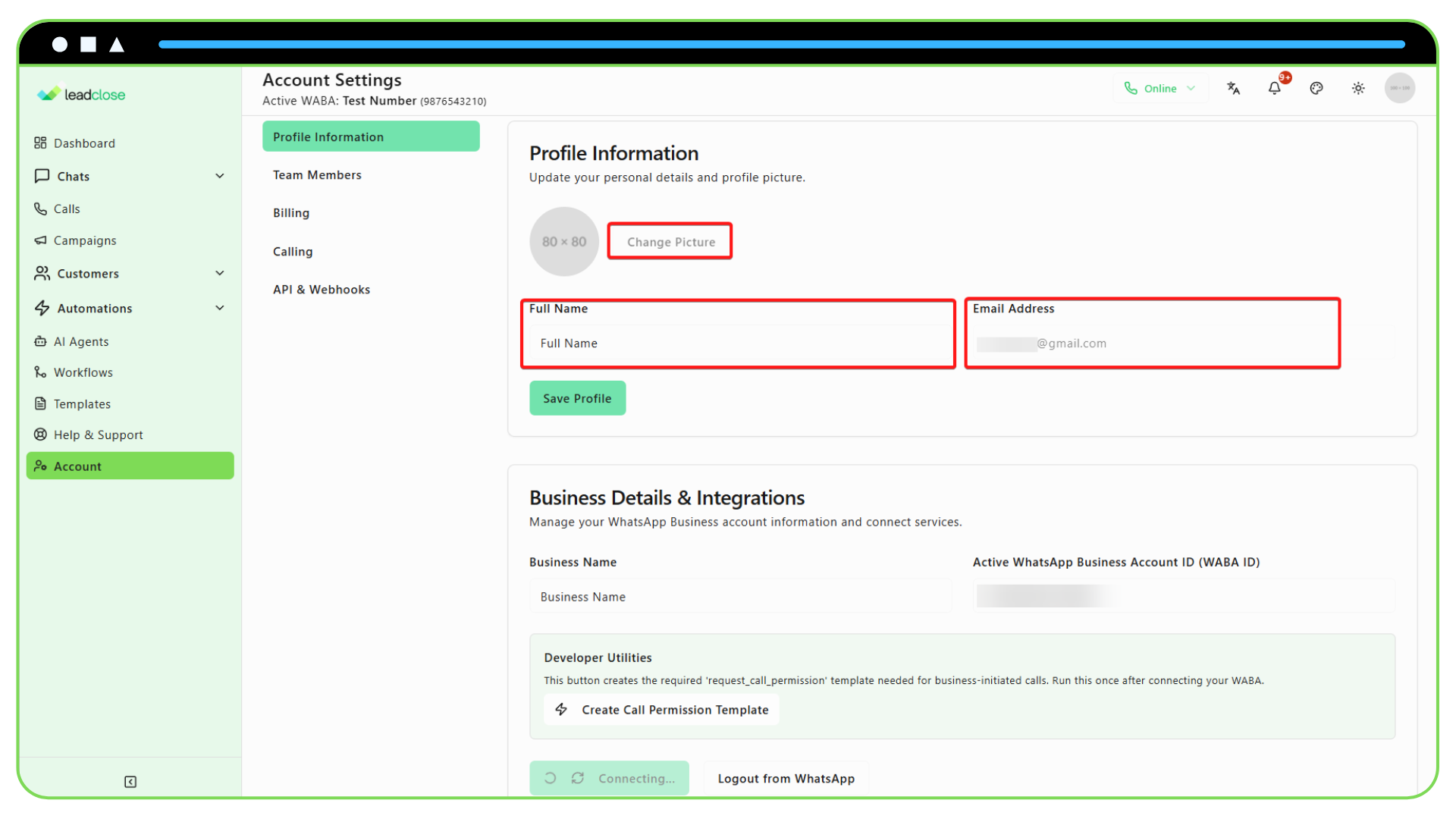
Your changes will be reflected across the app, for example, in chat assignments and internal notes.
Updating Your Business Details
Who can edit business details? Only users with the Owner or Admin role can manage this section.
This card contains information about your business that may be shared on your WhatsApp Business profile.
- Navigate to Account > Profile.
- Find the Business Details Card.
- Edit Information: You can update fields like your Business Name and Address.
- Save Changes: Click "Save Business Details".
Note: Changing this information in LeadClose does not automatically update your official profile on WhatsApp. This requires verification through the Meta Business Manager.