
If your WhatsApp Business Account (WABA) has multiple phone numbers, you must choose one to be the active sender. This is the number that all your business-initiated communications, such as campaigns and template messages sent from the chat, will originate from.
How to Set the Active Phone Number
Who can perform this action? Only users with the Owner or Admin role can change the active phone number.
- Navigate to Account Settings: Click
Accountin the sidebar. - Find Business Details: Go to the "Business Details & Integrations" card.
- Locate Your Connected WABAs: If your account is connected, you will see a list of your WhatsApp Business Accounts.
- Identify the Target Number: Find the specific phone number within your WABA that you want to set as the primary sender.
- Click "Set as Sender": Next to the desired phone number, click the "Set as Sender" button.
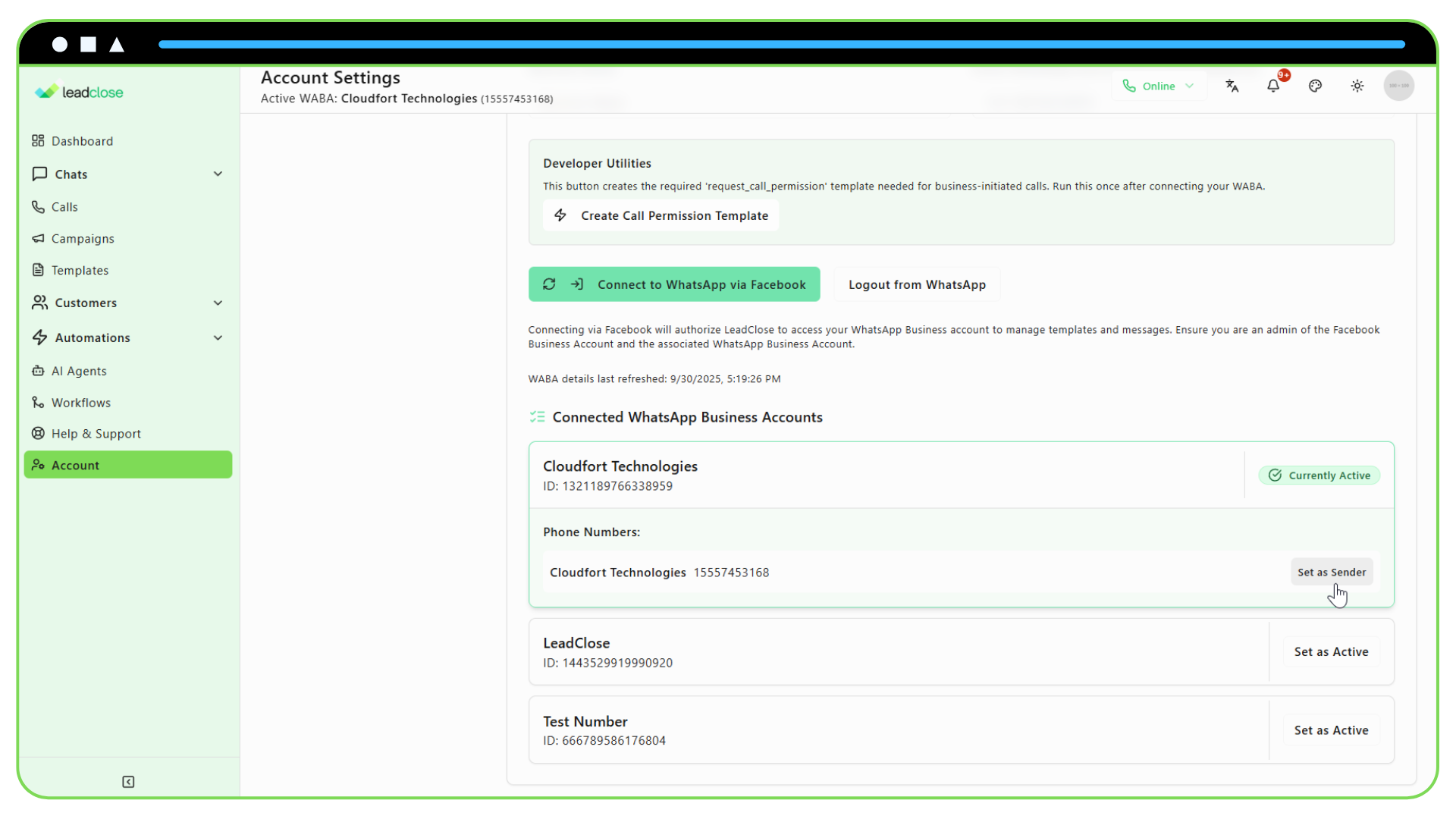
The display will update instantly, and a badge will appear next to the number, confirming it is now the "Active Sender". All subsequent campaigns will use this number.
FAQs
Q: Can I change the active number at any time? A: Yes, you can switch between your verified phone numbers whenever you need to.
Q: What happens to campaigns if I change the active number? A: Campaigns that are already "Processing" or "Sent" will not be affected. Any new campaigns you create, or any that are "Scheduled" and have not yet started processing, will use the newly selected active number.
Q: Why is the "Set as Sender" button disabled? A: This could be because you do not have the Owner or Admin role, or the phone number you are trying to select is not yet fully verified by Meta. You can check the status of your phone numbers in the Meta Business Manager.