
The Calls Dashboard provides detailed analytics on your team's voice call performance over WhatsApp.
1. Date Range Filter Located at the top right, this filter allows you to change the time period for all the stats and charts on the dashboard. You can view data for the last 7, 30, or 90 days.
2. Key Performance Indicators (KPIs) These cards provide a high-level summary of call activity.
- Incoming Calls: Total number of calls received from customers.
- Outgoing Calls: Total number of calls initiated by your agents.
- Answer Rate: The percentage of incoming calls that were answered by an agent.
- Avg. Duration: The average length of a connected call (both incoming and outgoing).
Each KPI card (except Avg. Duration) also includes a trend indicator, showing the percentage change compared to the previous period.
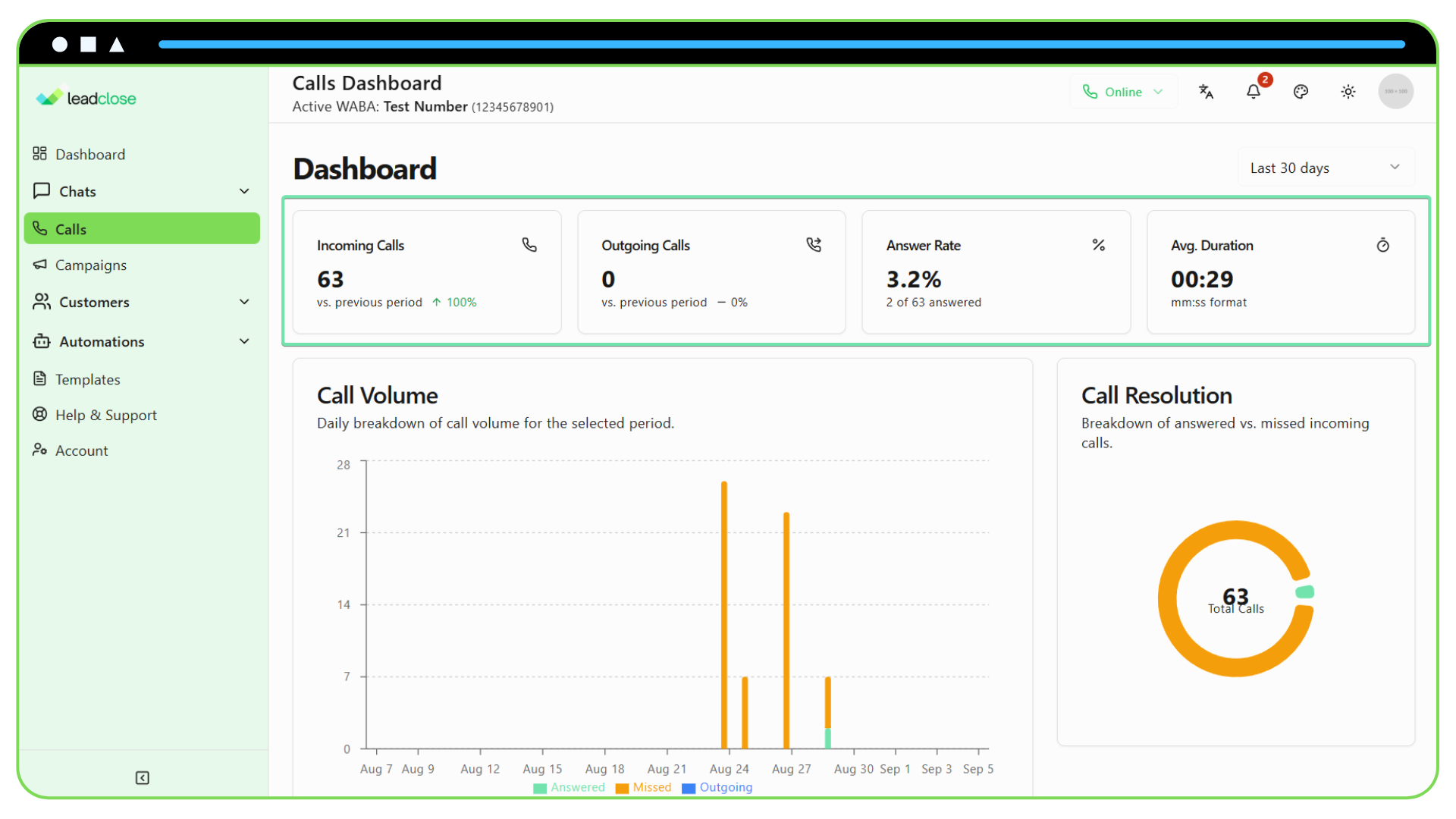
3. Call Volume Chart This bar chart shows the total number of calls for each day in the selected period. The bars are stacked to show the breakdown of calls by type:
- Answered: Incoming calls that were connected to an agent.
- Missed: Incoming calls that were not answered.
- Outgoing: Calls initiated by your agents.
4. Call Resolution Chart This donut chart gives a quick visual summary of your team's overall answer rate, showing the proportion of all incoming calls that were Answered vs. Missed.
5. Agent Performance Table This table provides a detailed breakdown of call metrics for each agent on your team.
- Calls Handled: The total number of calls (incoming and outgoing) that the agent was connected to.
- Answer Rate: The percentage of calls routed to this agent that they answered.
- Avg. Duration: The agent's average time spent on a connected call.
This table is crucial for understanding individual performance and identifying coaching opportunities.