
To make or receive calls using LeadClose, your web browser needs permission to access your microphone. This is a standard security feature in all modern browsers.
How to Grant Permission
The first time you attempt to answer or initiate a call, your browser will display a prompt, usually near the address bar, asking for permission to use your microphone.
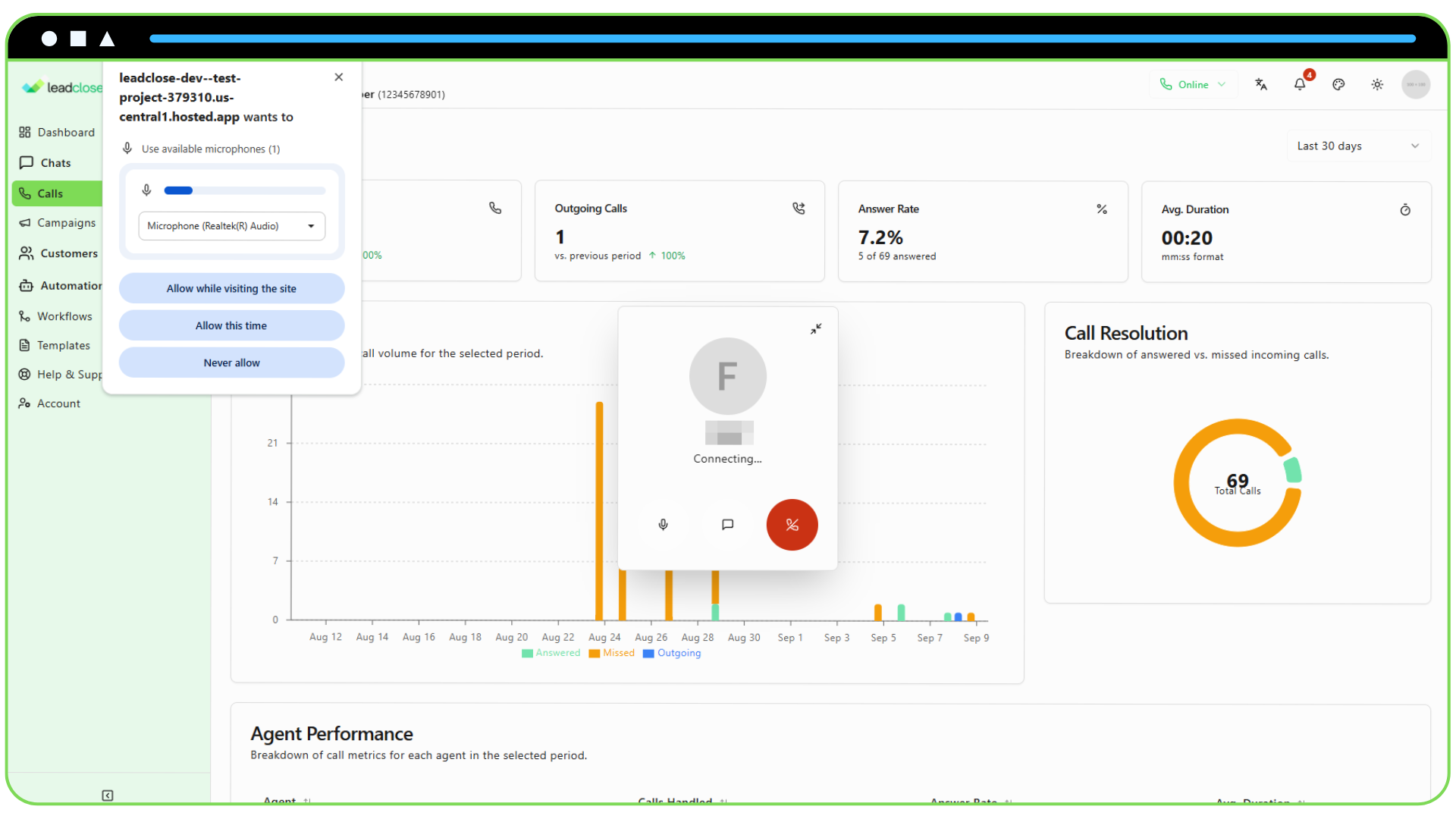
- You must click "Allow" to proceed with the call.
If you accidentally click "Block", or if the prompt doesn't appear, you will need to manually change the setting for the LeadClose website.
Troubleshooting in Google Chrome
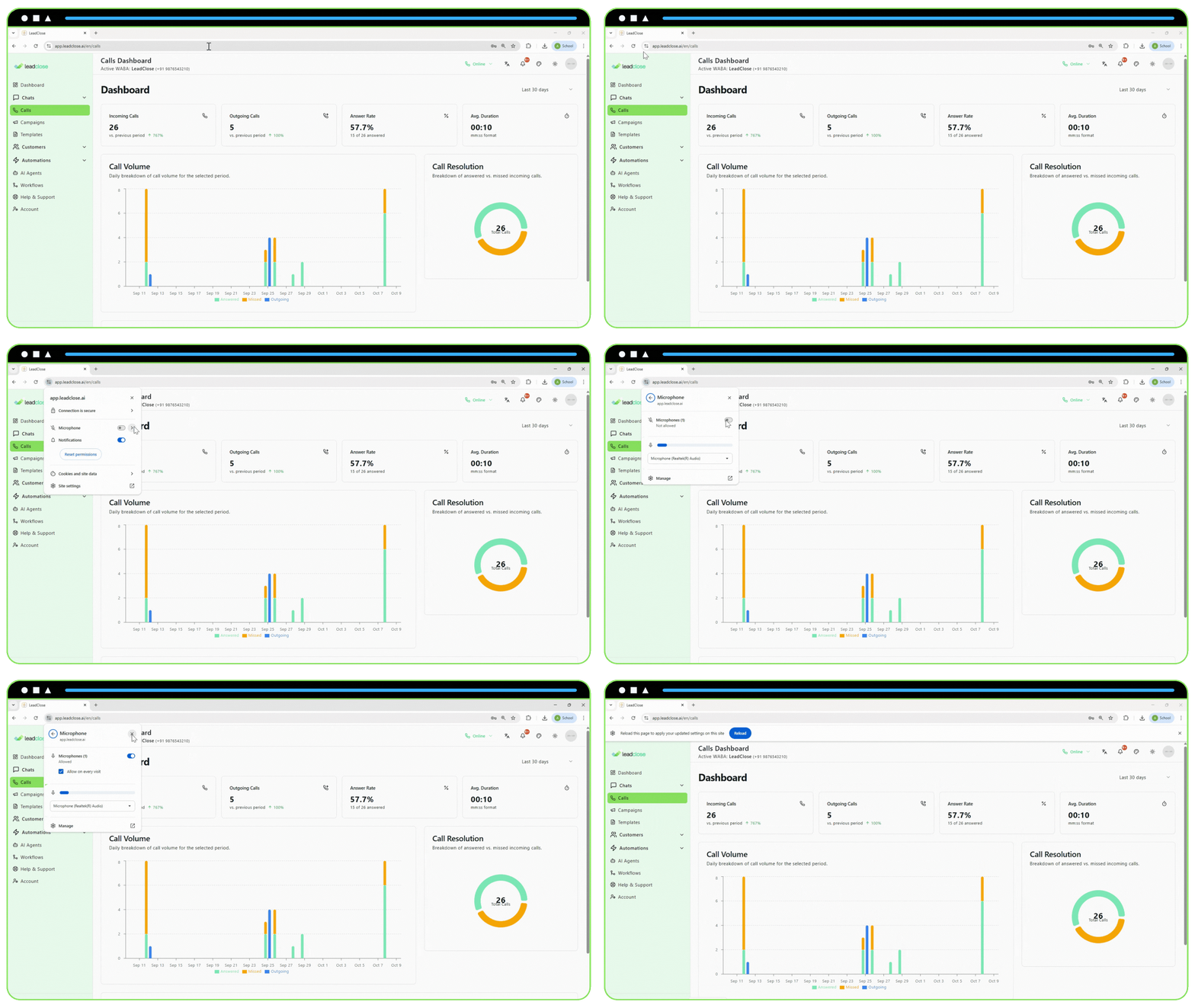
While on the LeadClose website, click the padlock icon to the left of the website address in the address bar.
A dropdown menu will appear. Find the "Microphone" setting.
Ensure the toggle is switched on or that "Allow" is selected from the dropdown.
You may need to refresh the page for the new setting to take effect.
Troubleshooting in Other Browsers
- Firefox: Click the padlock icon, then the arrow next to "Connection secure", then "More Information". Go to the "Permissions" tab and find "Use the Microphone".
- Safari: Go to
Safari > Settings > Websites. Select "Microphone" from the left panel, find the LeadClose website in the list, and change its permission to "Allow".
Testing Your Microphone
If you have granted permission but are still having issues, check your computer's system settings:
- Windows: Go to
Settings > Privacy & security > Microphoneand ensure "Let apps access your microphone" is turned on. - macOS: Go to
System Settings > Privacy & Security > Microphoneand ensure your web browser is checked in the list of applications.
A quick way to test if your microphone is working is to use an online mic test website.