
Variables (or placeholders) are the key to personalizing your template messages at scale. They look like {{1}}, {{2}}, etc., and act as placeholders that you can fill with customer-specific data when you send a campaign.
How Variables Work
When you create a template, you insert these placeholders where you want dynamic content to appear. When you create a campaign using that template, you "map" each variable to a field in your customer database.
Example:
- Template Body:
Hi {{1}}, your appointment is confirmed for {{2}}. - Campaign Mapping:
{{1}}maps to theNamecustomer field.{{2}}maps to a custom field you might have calledAppointment Date.
- Sent Message for a Customer:
Hi John Doe, your appointment is confirmed for Aug 22, 2024.
Adding Variables to a Template
- Position Your Cursor: In the Body, Header (if text), or Card Body text area, place your cursor where you want the variable to go.
- Click "Add Variable": A button is available next to each text input that supports variables. Clicking it will insert the next available variable number (e.g.,
{{1}}, then{{2}}).
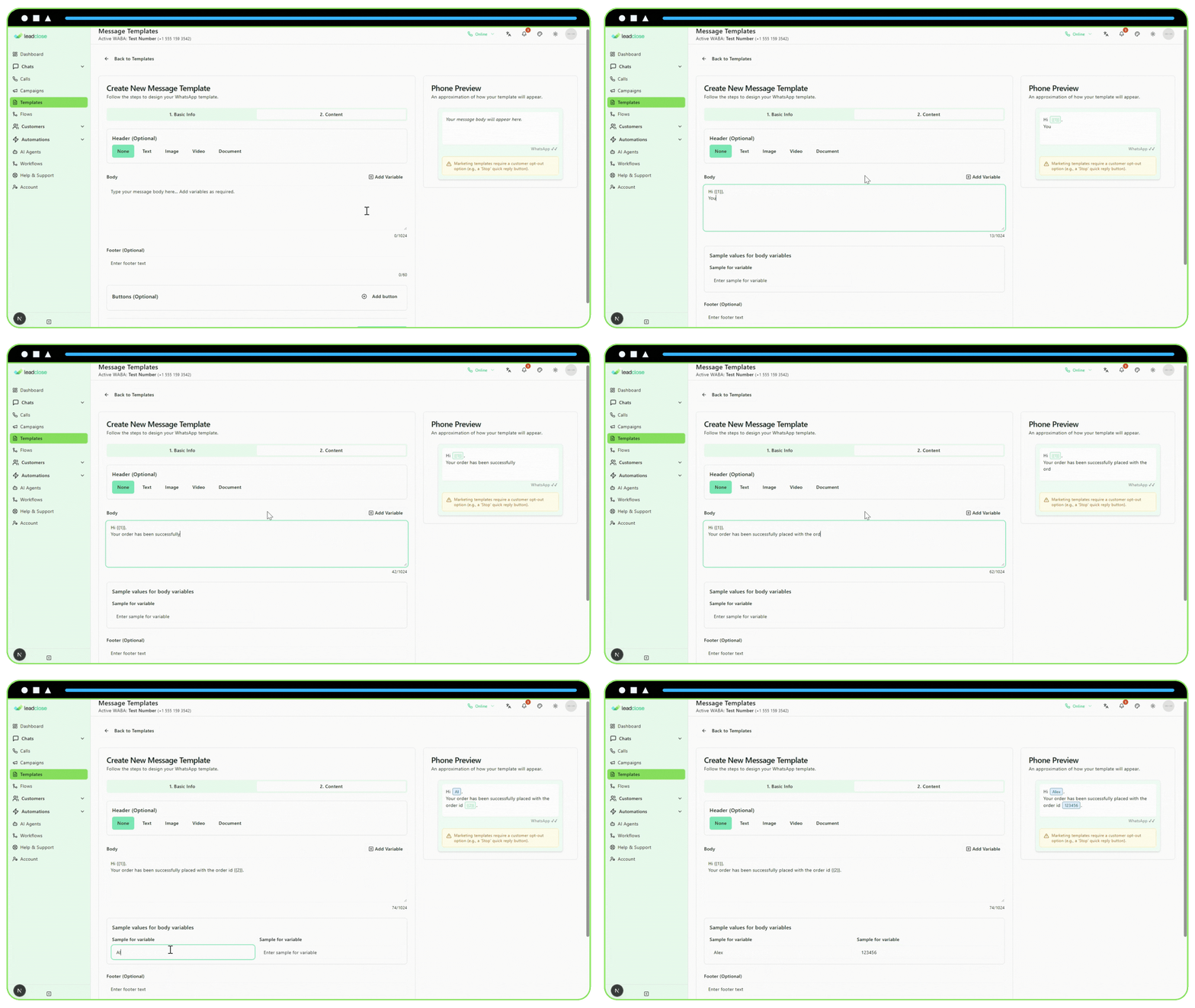
Providing Sample Values
For Meta to approve your template, you must provide a realistic example for every variable you use. After adding a variable like {{1}}, a new input field will appear below the text area labeled "Sample for {{1}}".
- Good Sample: If
{{1}}is for a customer's name, a good sample is "Jane Doe" or "Valued Customer". - Bad Sample: Do not just put "name" or "variable". Meta will reject this. The sample should reflect the type of data that will actually be there.
The sample values are only for Meta's review process; they are not seen by your customers.