
If you have created or edited message templates directly in the Meta Business Manager, you will need to sync them with LeadClose to make them available for use in campaigns and chats. The "Sync with Meta" feature allows you to pull in all templates from your active WABA with a single click.
How to Sync Templates
Who can perform this action? Only users with the Owner or Admin role can sync templates.
Navigate to the Templates Page: Go to
Templatesin the sidebar.Ensure You Have an Active WABA: The sync feature works on the currently active WhatsApp Business Account. You can see which account is active at the top of the page.
Click "Sync with Meta": This button is located at the top right of the page.
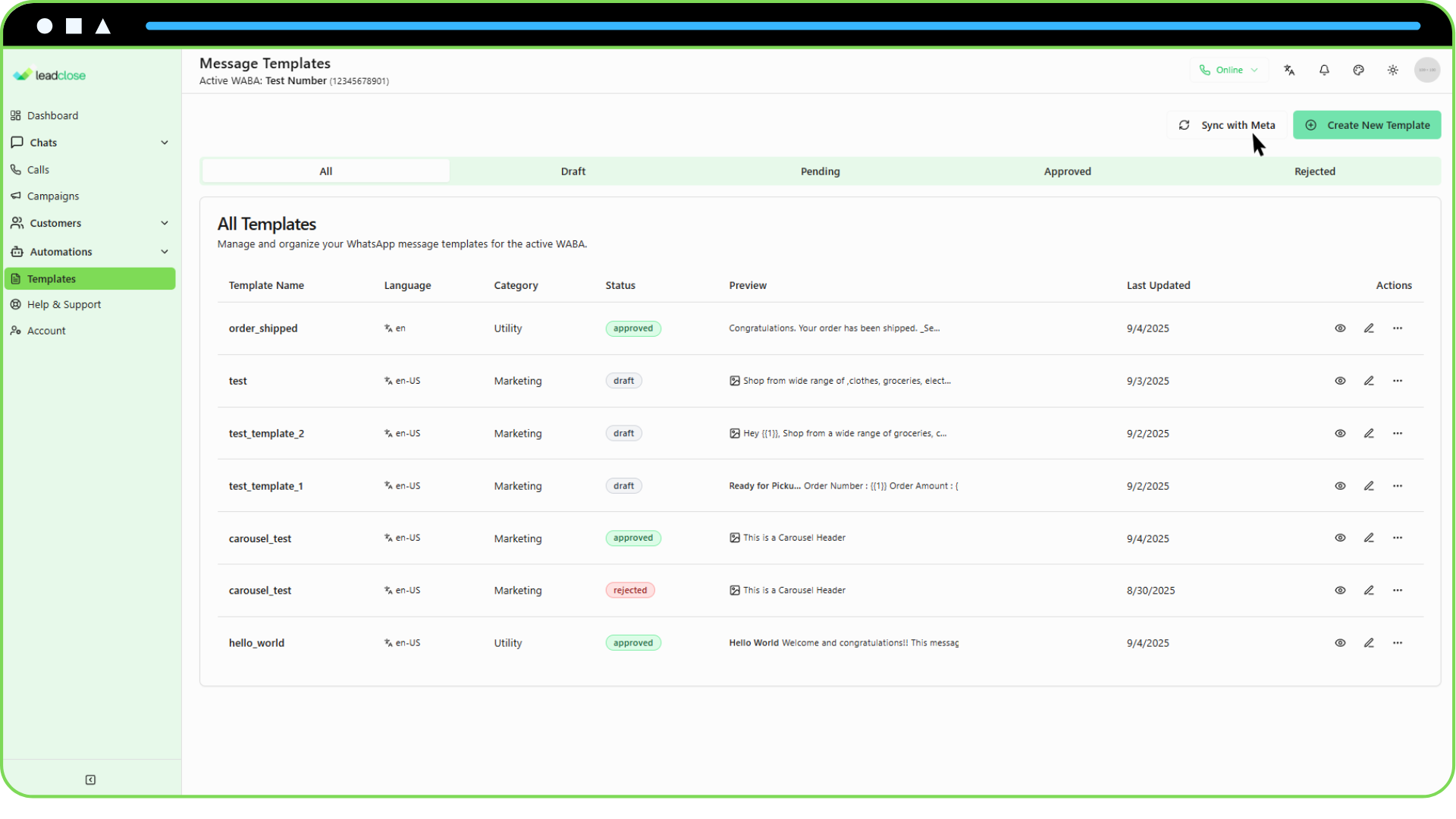
- Wait for the Process to Complete: LeadClose will connect to the Meta API and fetch all the templates associated with your active WABA. This may take a few moments.
What Happens During a Sync?
- New Templates are Added: Any templates that exist in your Meta WhatsApp Manager but are not in your LeadClose account will be added.
- Existing Templates are Updated: If a template already exists in LeadClose (matched by its unique Meta ID), its content, status (e.g., from Pending to Approved), and other details will be updated to match the version in Meta.
- Templates are NOT Deleted: The sync process does not delete any templates from LeadClose, even if they have been deleted from Meta. This is to prevent accidental loss of data. You must manually delete templates from LeadClose if you no longer need them.
After the sync is complete, you will receive a notification summarizing the results (e.g., "Sync complete. Added 5 new templates and updated 12 existing templates."). Your template list will then be fully up-to-date with your Meta account.