
Placeholders, also known as variables, are the key to personalizing your template messages. They are represented by double curly braces with a number inside, like {{1}}, {{2}}, etc.
When you send a campaign, LeadClose replaces these placeholders with actual data from your customer profiles, making each message unique to the recipient.
Using Placeholders in the Template Editor
1. Adding a Placeholder:
While writing your message in the Body, Text Header, or Card Body, place your cursor where you want the dynamic content to appear.
Click the "Add Variable" button.
LeadClose will insert the next sequential placeholder (e.g.,
{{1}}, then{{2}}).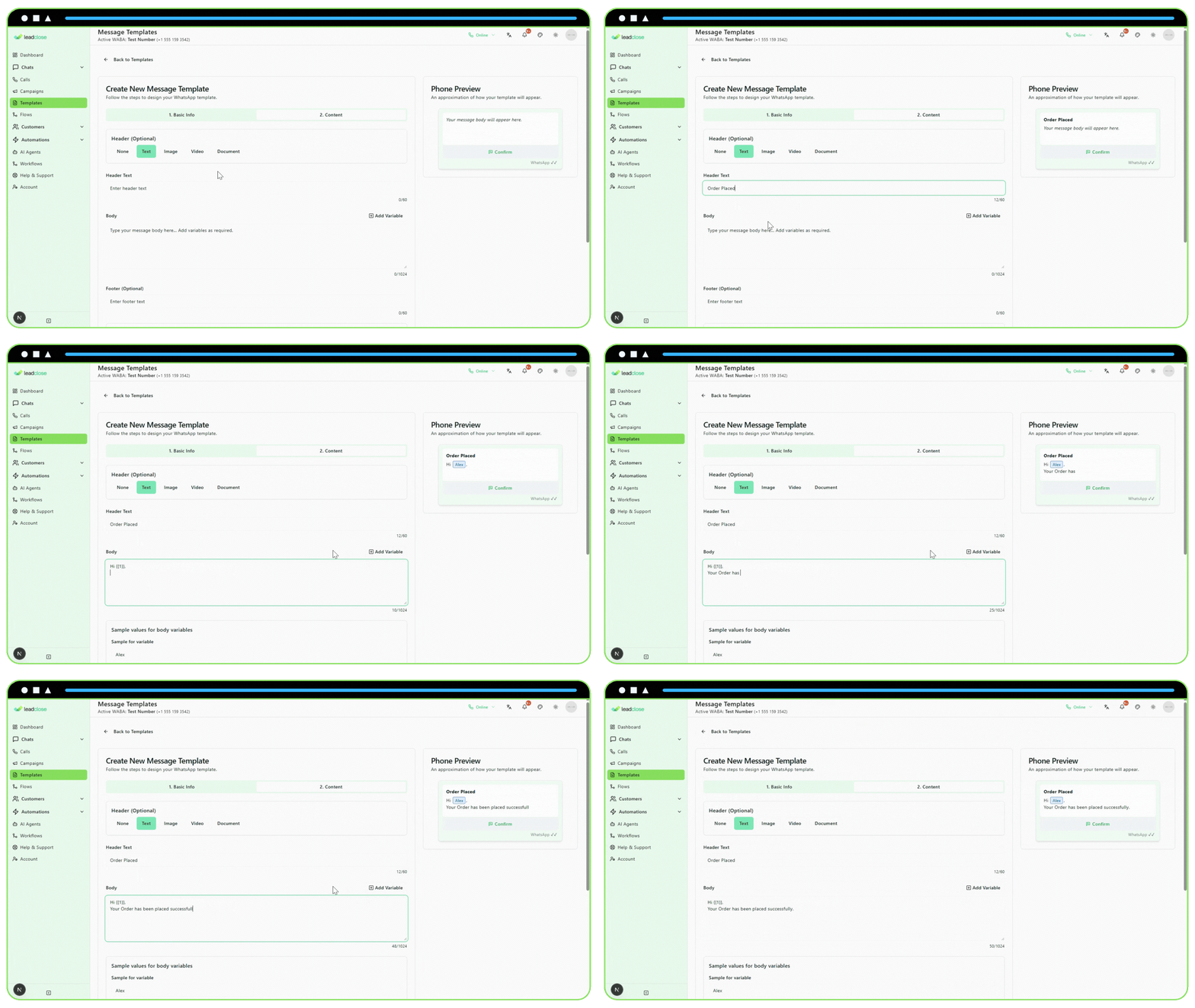
2. Providing Sample Values:
- Meta requires you to provide a realistic example for every placeholder you use. This helps their review team understand the purpose of the variable.
- After adding a variable, an input field will appear below the text area.
- Good Sample: If
{{1}}is for a name, use "John Smith". - Bad Sample: Do not use generic terms like "name" or "variable". This will cause your template to be rejected.
Mapping Placeholders in a Campaign
Once your template is approved, you can use it in a campaign. The campaign creator is where you connect the placeholders to your data.
Select Your Template and Segment.
Go to the "Map Template Placeholders" section.
For each placeholder (e.g., "Variable
{{1}}"), use the dropdown menu to select the corresponding Customer Field (e.g., "Name").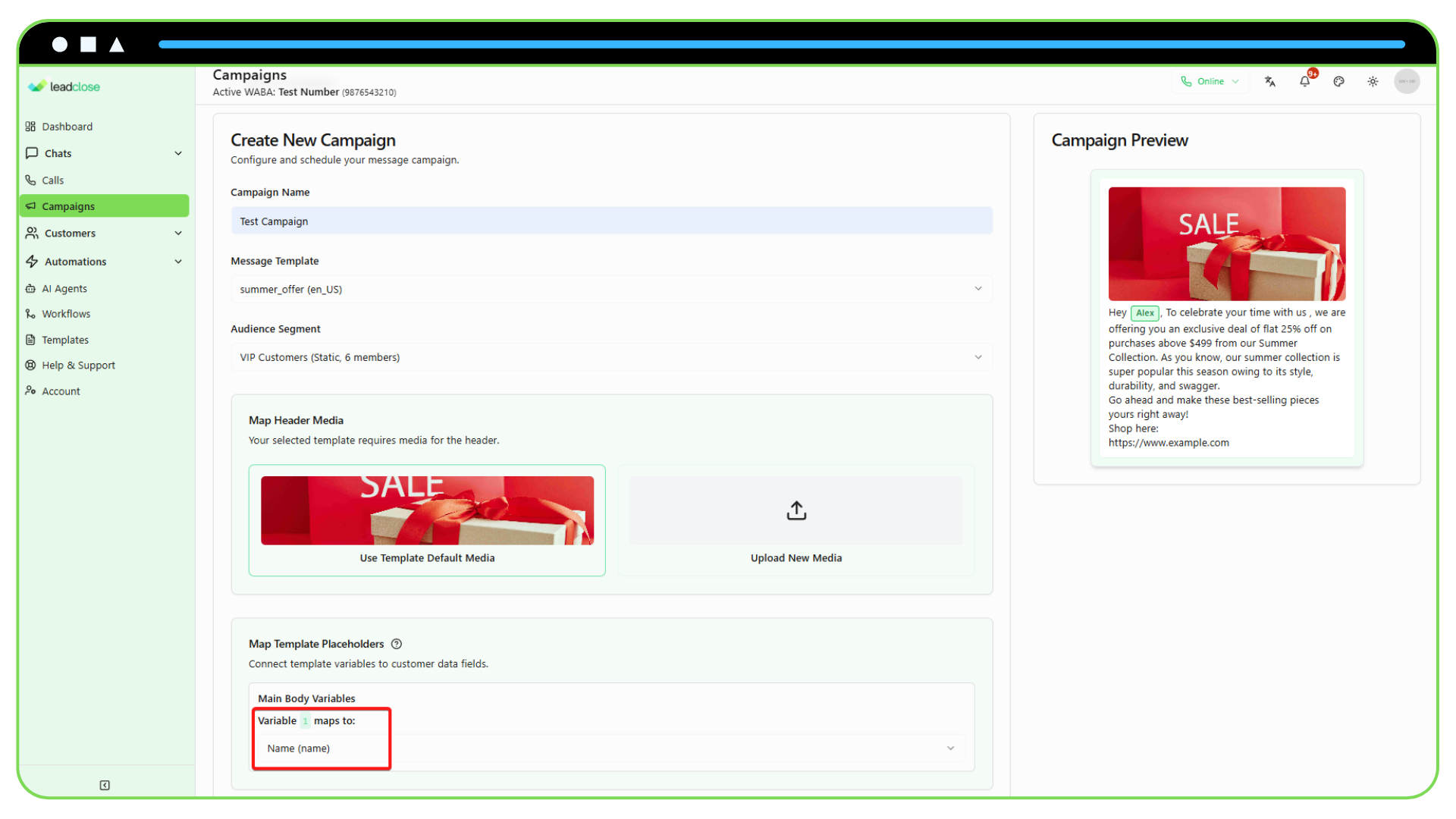
Advanced Placeholder Types
- In the Body/Header: You can use multiple placeholders for things like names, dates, order numbers, etc.
- In Carousel Card Bodies: Each card can have its own unique set of placeholders.
- In CTA Buttons (Coming Soon): Some templates allow for dynamic URLs in buttons, which would use a placeholder.
By mastering placeholders, you can move beyond generic message blasts and send highly personalized, effective communications that resonate with your customers.