
Mapping variables is the most important step in personalizing your campaigns. This process tells LeadClose which piece of customer data should be inserted into each placeholder in your message template.
How Mapping Works
After you select a template and a segment in the campaign creator, the "Map Template Placeholders" section will appear.
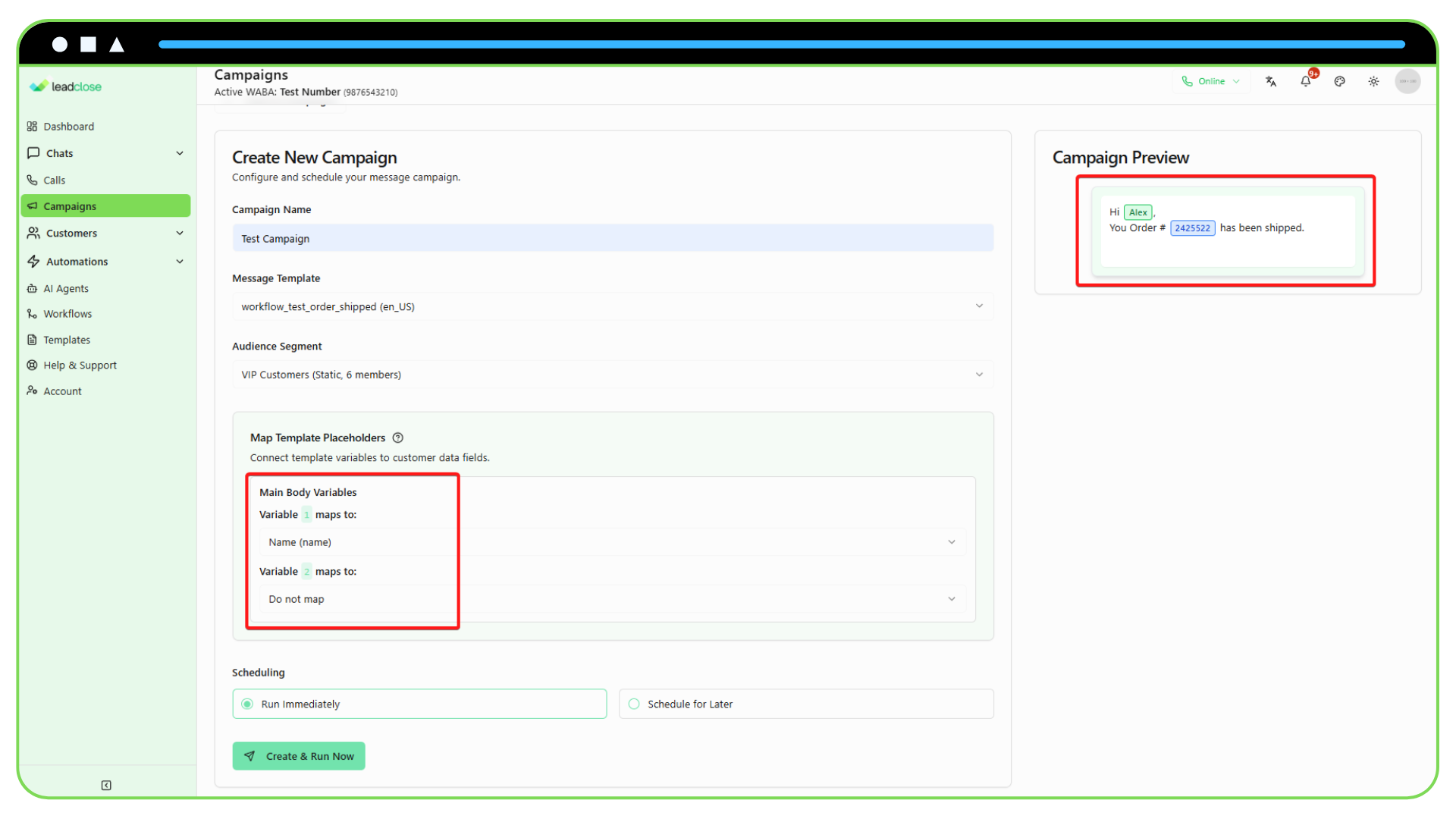
For each variable found in your template (e.g., {{1}}, {{2}}), a dropdown menu will be displayed. You need to select the customer field that corresponds to that variable.
Example:
- Template Body:
Hello {{1}}, thank you for your recent purchase in {{2}}. - Mapping Configuration:
Variable {{1}} maps to:NameVariable {{2}} maps to:City
When the campaign is sent to a customer named "Maria" who lives in "Lisbon", her message will read: "Hello Maria, thank you for your recent purchase in Lisbon."
Using the Message Preview
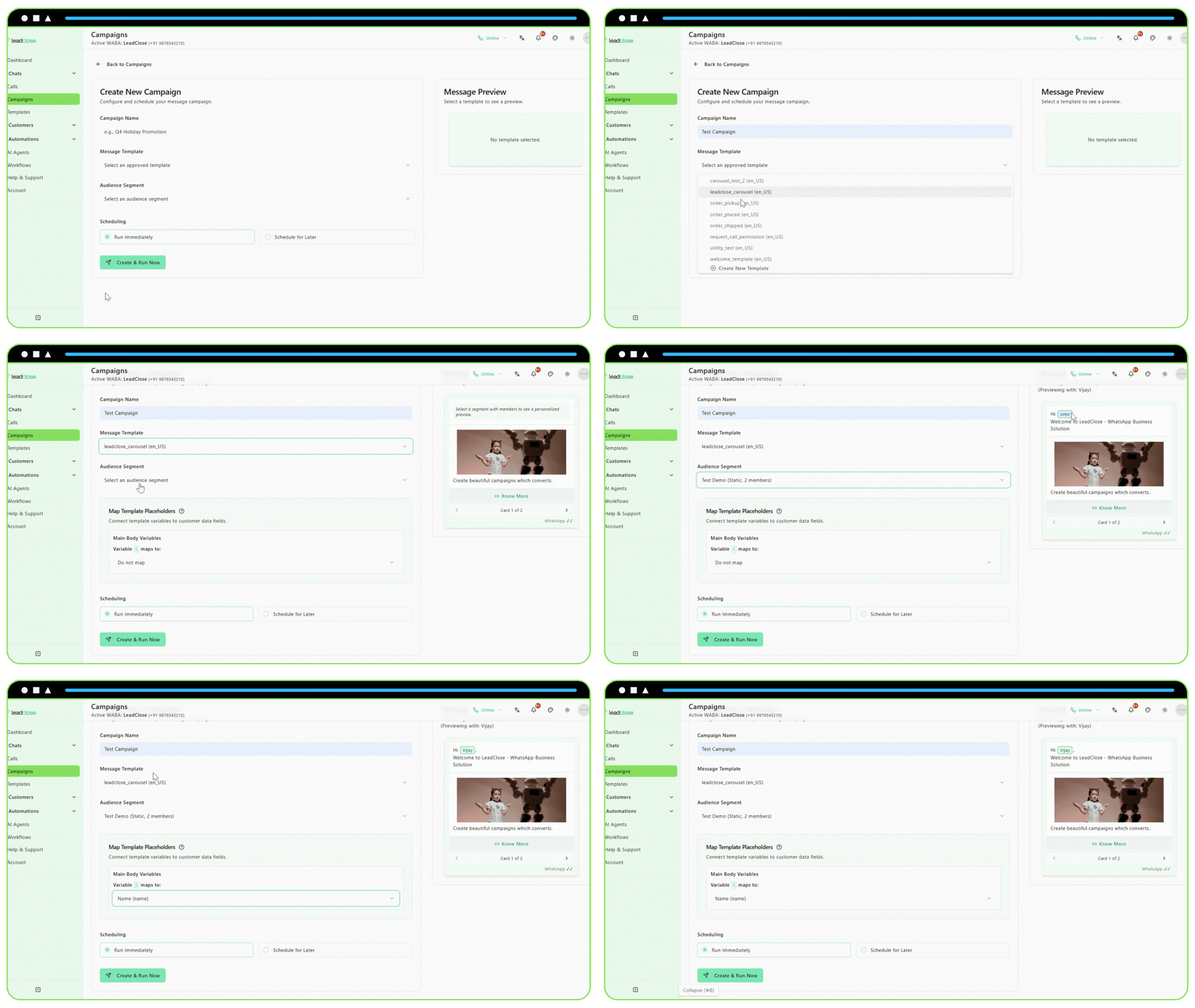
The message preview on the right side of the screen is your best tool for checking your work.
It will automatically select a random customer from your chosen segment.
As you map your placeholders, you will see the preview update in real-time with that customer's actual data. This allows you to confirm that you've mapped everything correctly before you schedule the campaign.
What if I Don't Map a Variable?
If you choose "Do not map" or leave a mapping blank for a variable, that placeholder will be sent as an empty space in the final message. It is highly recommended to map all variables to avoid sending incomplete or strange-looking messages to your customers.