
After your campaign has been sent, you can track its performance on the Campaign Details page.
Accessing Campaign Details
- Navigate to the
Campaignspage. - Go to the History tab.
- Find the campaign you want to analyze and click the "View Details" button.
Understanding the Metrics
The top of the page provides a summary of the campaign's overall performance.
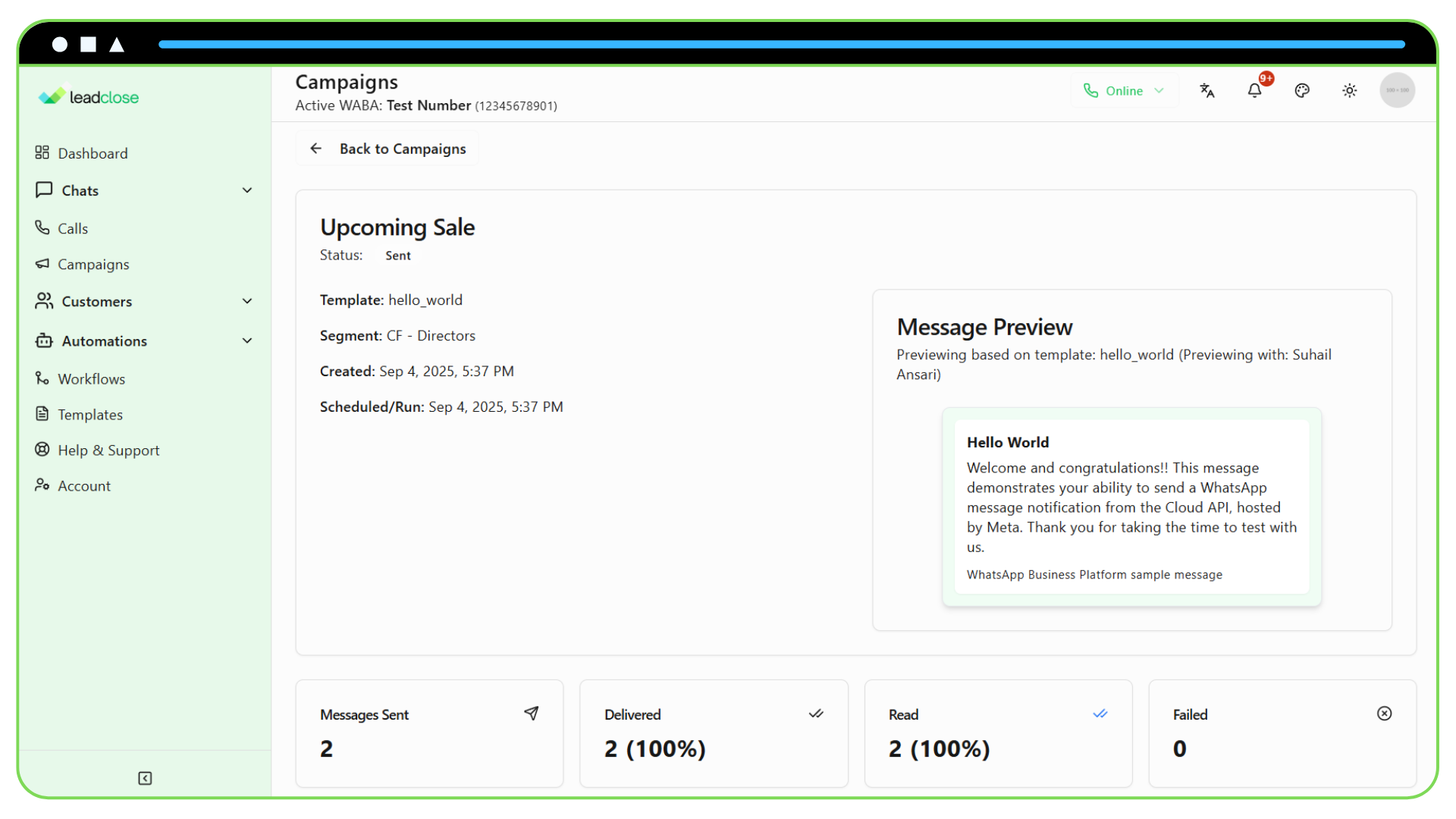
- Status: The final status of the campaign (e.g., Sent, Completed with Errors).
- Sent: The total number of messages that were successfully sent to WhatsApp's servers.
- Delivered: The number of messages that were successfully delivered to the recipient's device. The delivery rate is shown as a percentage of sent messages.
- Read: The number of messages that were marked as read by the recipient. The read rate is shown as a percentage of delivered messages.
- Failed: The number of messages that failed to send due to an error (e.g., the customer has blocked you, invalid phone number).
Recipient Status Table
The main table on this page gives you a message-by-message breakdown of the campaign's results.
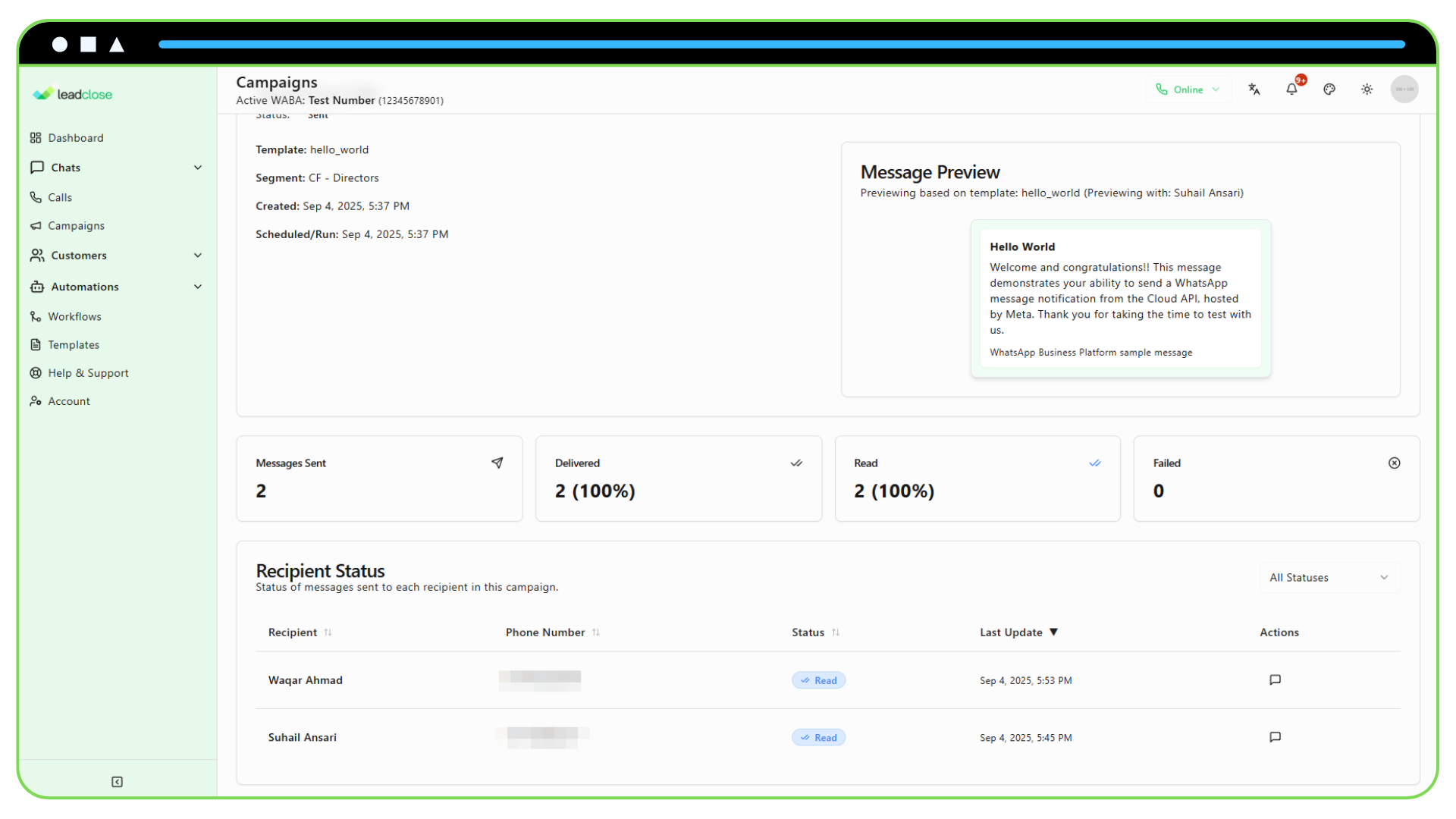
- Recipient & Phone: The customer who received the message.
- Status: The last known status of the message for that specific recipient (Sent, Delivered, Read, or Failed).
- Last Update: The timestamp of when that status was last updated.
Filtering the List: You can use the "Filter by status" dropdown at the top of the table to view only the recipients with a specific status. This is useful for identifying which messages failed or which customers have not yet read your message.