
Internal notes are a powerful tool for team collaboration. They allow you to leave comments, updates, and instructions for your teammates directly within a customer's conversation timeline, without the customer ever seeing them.
When to Use Internal Notes
- Handing over a conversation: Leave a summary for the next agent who picks up the chat. (e.g., "Customer is waiting for a quote on Product X, I've told them we'll get back by EOD.")
- Asking for help: Mention a colleague if you need their expertise on a specific issue.
- Logging offline interactions: Record details of a phone call or in-person meeting with the customer.
- Adding context: Provide important background information that isn't stored in a standard customer field.
How to Add a Note
- Open a conversation.
- Select the "Internal Notes" tab below the chat header.
- Type your message in the yellow input box at the bottom of the screen.
- Click "Add Note".
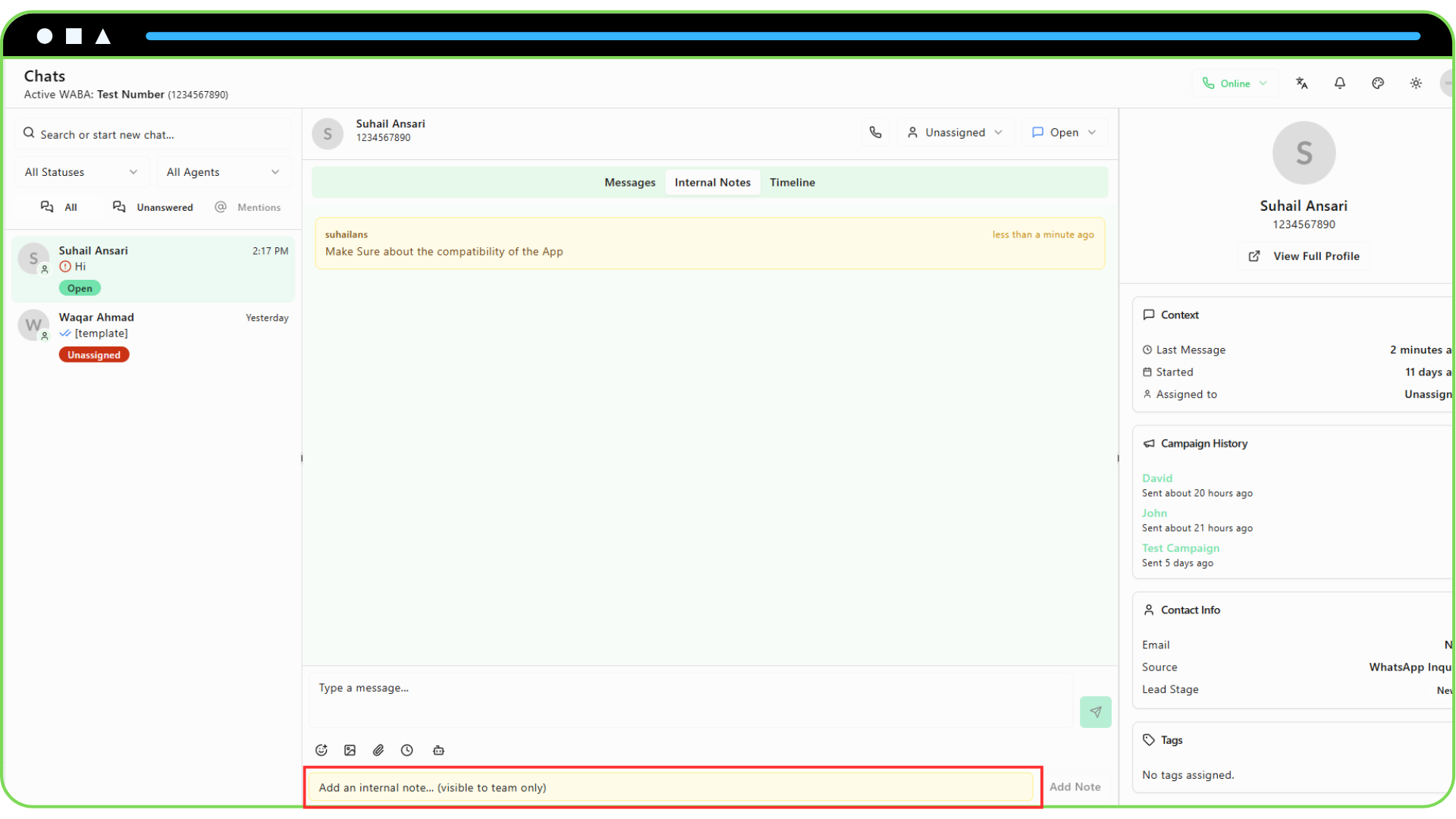
The note will immediately appear in the notes timeline, timestamped and with your name. It will also appear in the main "Timeline" view for that customer, clearly marked as an internal note.