
The Media Library provides a central place to upload and manage the images, videos, and documents you use in your WhatsApp communications. By uploading media once, you can easily reuse it in message templates and individual chats.
Uploading to the Library
You can upload new media in two primary ways:
1. Directly from the Template Editor:
When you are creating or editing a Standard or Carousel template that requires a media header, you will see a "Choose Media" button.
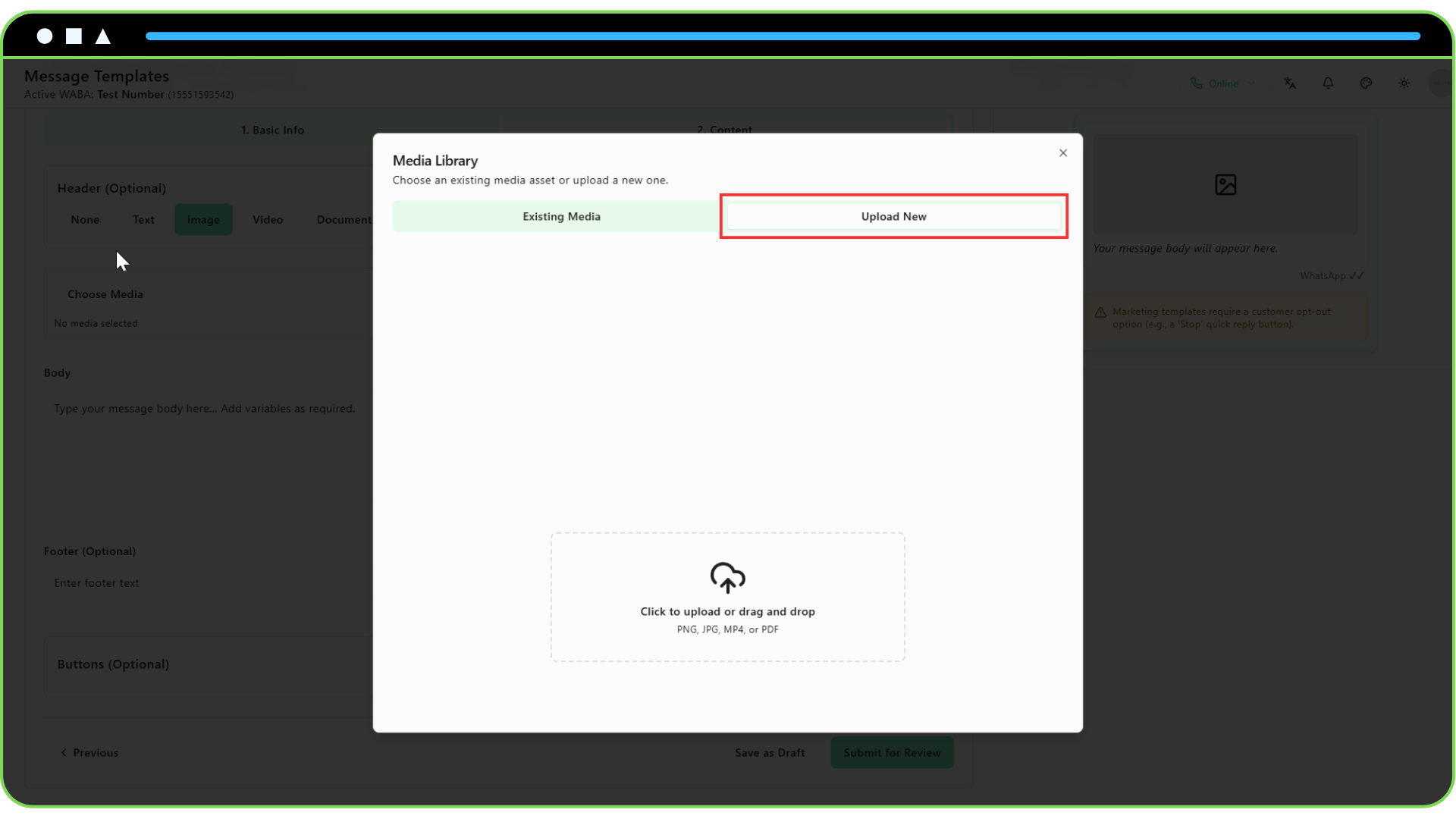
Clicking this opens the Media Picker modal.
Switch to the "Upload New" tab.
Drag and drop your file or click to select it from your computer.
The file will be uploaded, processed by Meta to get a reusable handle, and stored in your library. It will also be automatically selected for your template.
2. From the Campaign Form:
- If you choose to use new media for a specific campaign (instead of the template's default), the process is the same as above. The "Choose File" button will open the Media Picker.
Selecting Existing Media
Once you have media in your library, you can reuse it anytime.
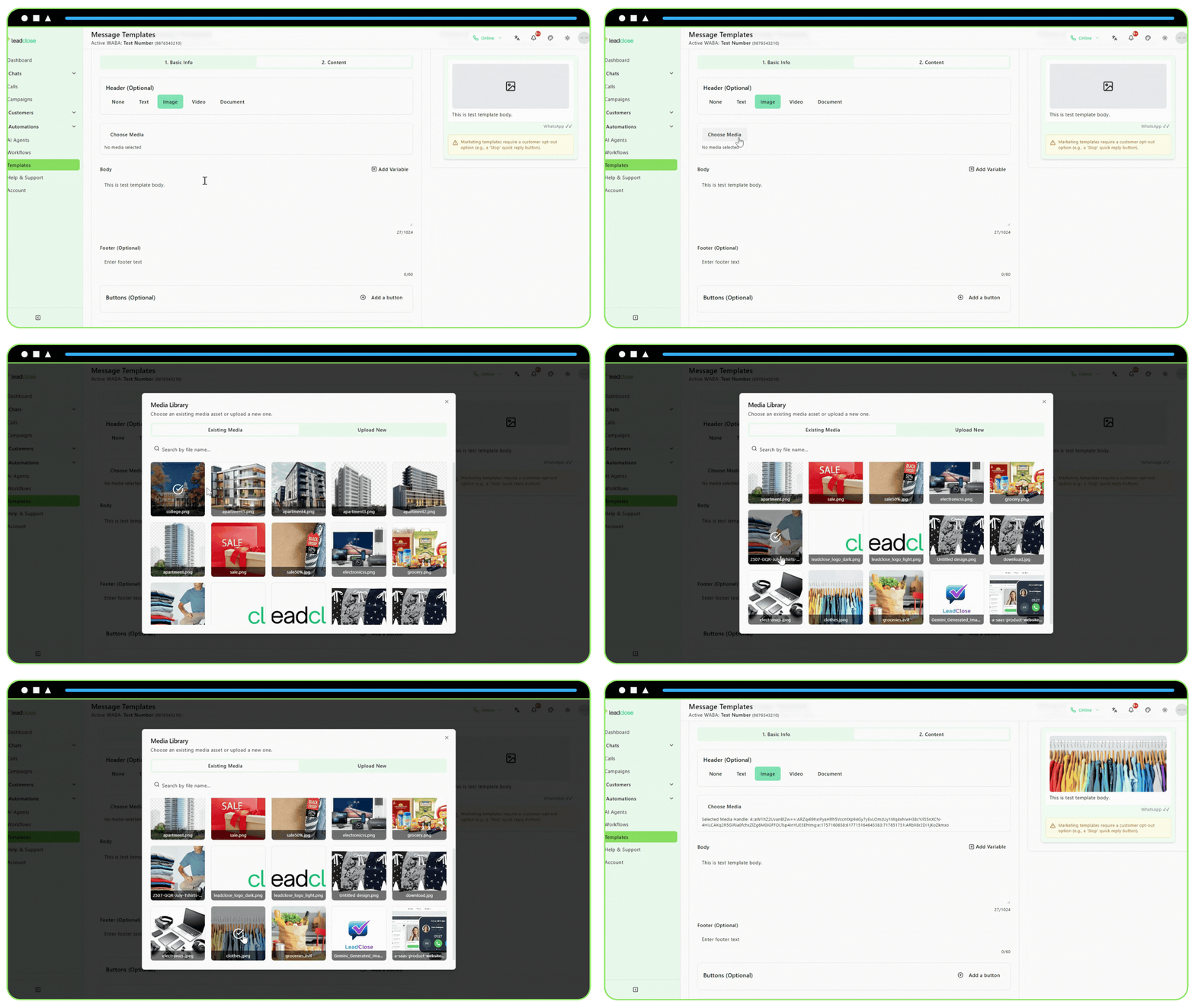
Click the "Choose Media" button in either the template editor or the campaign form.
The Media Picker will open on the "Existing Media" tab by default.
It will automatically filter to show only the media type required by the template (e.g., only images will be shown if the header is an image).
Simply click on the media asset you want to use. It will be selected, and the modal will close.
Supported File Types and Sizes
- Images: JPEG, PNG (Max 5MB)
- Videos: MP4 (Max 16MB)
- Documents: PDF (Max 100MB)
Always use high-quality media, but be mindful of file sizes to ensure quick delivery for your customers.